Products · HAAT Payroll

Hours on the floor. Pay runs in the portal.

HAAT Payroll adds timeclock and timesheets to the same store that runs HAAT POS — so punches, staff, and pay periods live in one place. We set it up with you on a call.

In the portal

Timesheets and pay runs.

Managers review punches by pay period, edit when needed, and run payroll for the completed window — regular or out-of-cycle — with hours and overtime estimates from your schedule.

Timesheets

Hours by employee, punch history, and pay-period filters — edit a punch with a note when something needs fixing.

  • Weekly, biweekly, semimonthly, or monthly schedules
  • Regular vs overtime estimates from your daily threshold
  • Filter by employee; source shows timeclock or register login
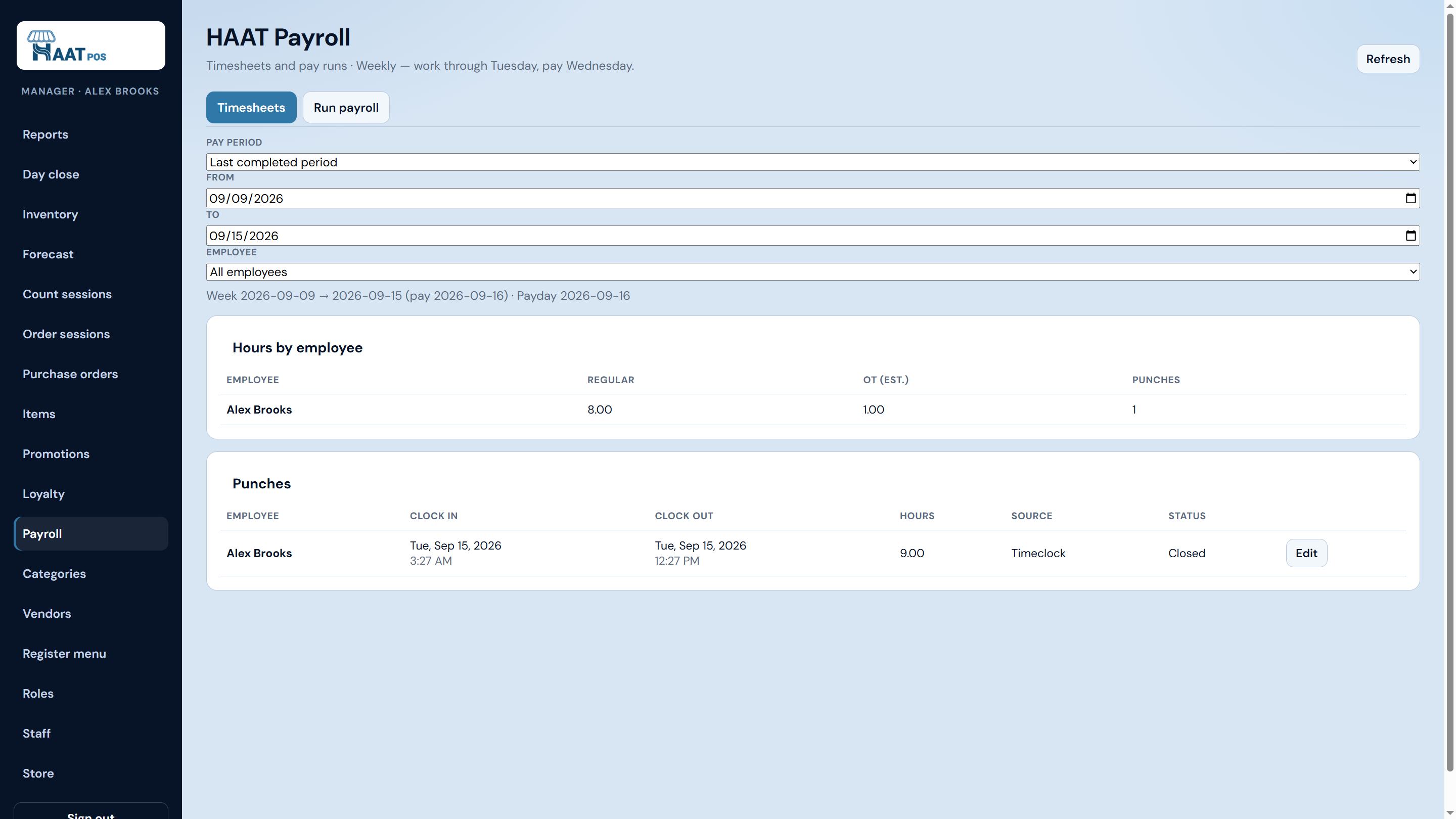
HAAT Payroll timesheets with hours by employee and punch history

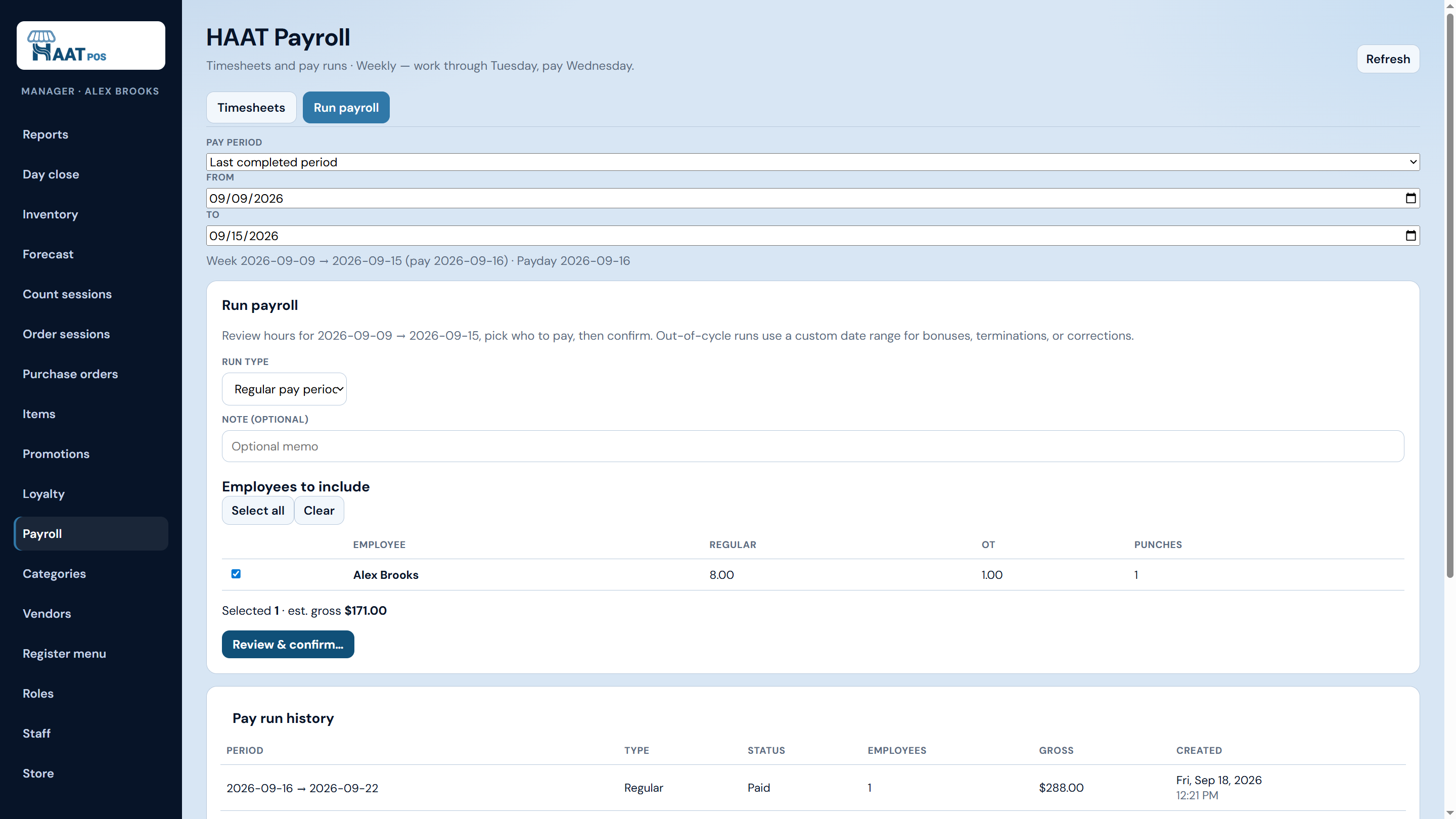
Run payroll

Pick who to include for the period, review estimated gross, confirm the run, and keep a history of paid periods.

  • Regular pay-period or out-of-cycle runs
  • Select employees and see estimated gross before confirm
  • Pay run history with status and totals
HAAT Payroll run screen with employees selected and pay run history

On the device

Clock in where the shift happens.

Staff use a dedicated Timeclock screen on the floor device — clock in, clock out, see today’s hours. Optional store setting: count register login and logout as the punch, so cashiers don’t double-tap.

  • Dedicated timeclock clock-in / clock-out
  • Optional “register login = hours” for cashier shifts
  • Same PIN staff roster as HAAT POS

How you get it

Add Payroll to the store you already run.

HAAT Payroll is built into your HAAT POS store — same staff, same cloud login. On a short call we turn it on for you; then you set your pay schedule and open timeclock when you’re ready.

Next step

Ask about Payroll on your next call.

We’ll walk HAAT POS and show how timeclock and timesheets fit the same staff and store.